# Managing your lock/Withdrawal
Manage Raydium CPMM, CP Swap and CLMM liquidity locks in UNCX on Solana, including withdrawals, relocks, transfers and fee claims.
Source: https://docs.uncx.network/guides/for-projects/solana-lockers/managing-your-lock-withdrawal/
### CPMM Liquidity
Visit [https://solana.uncx.network/](https://solana.uncx.network/) and select "Manage".
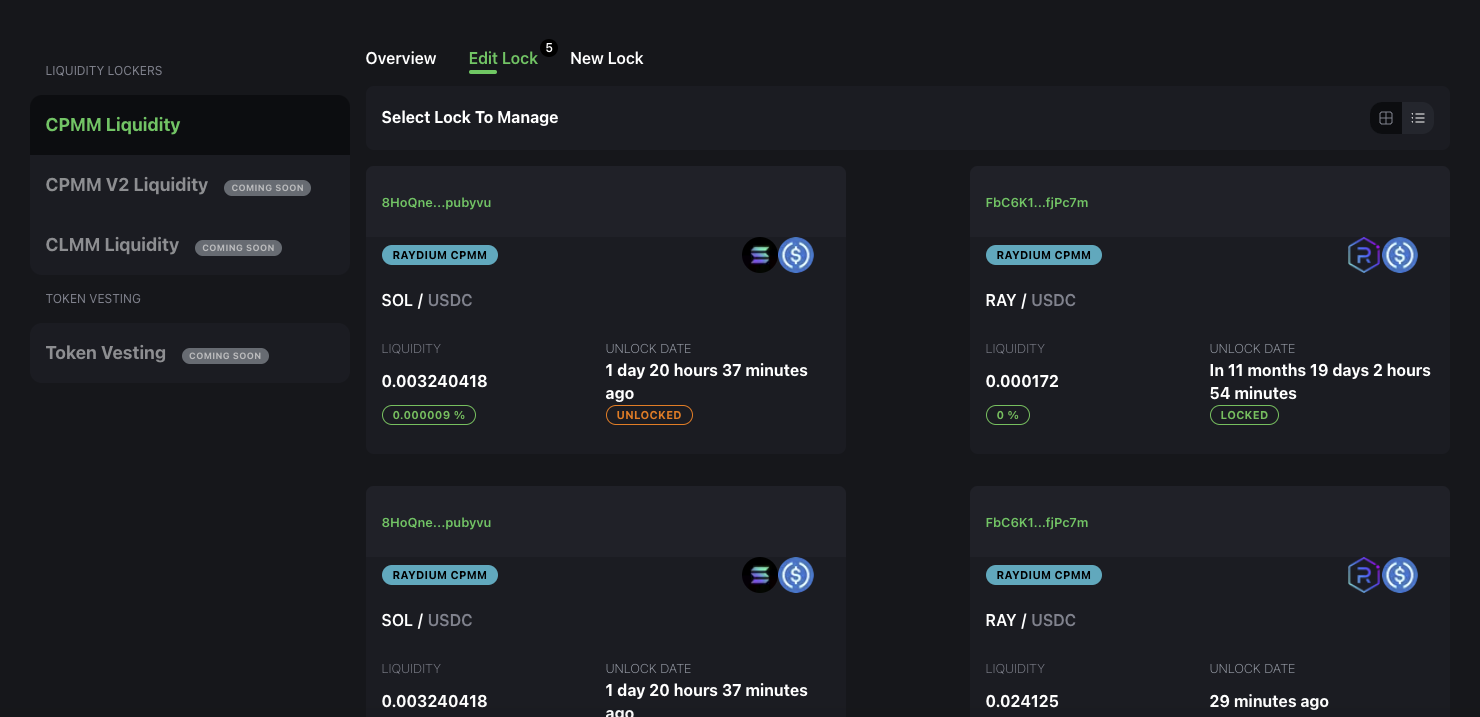
Select "CPMM Liquidity" and connect your wallet. Then, select the "Edit Lock" tab. Here you can select the lock you want to manage/withdraw.
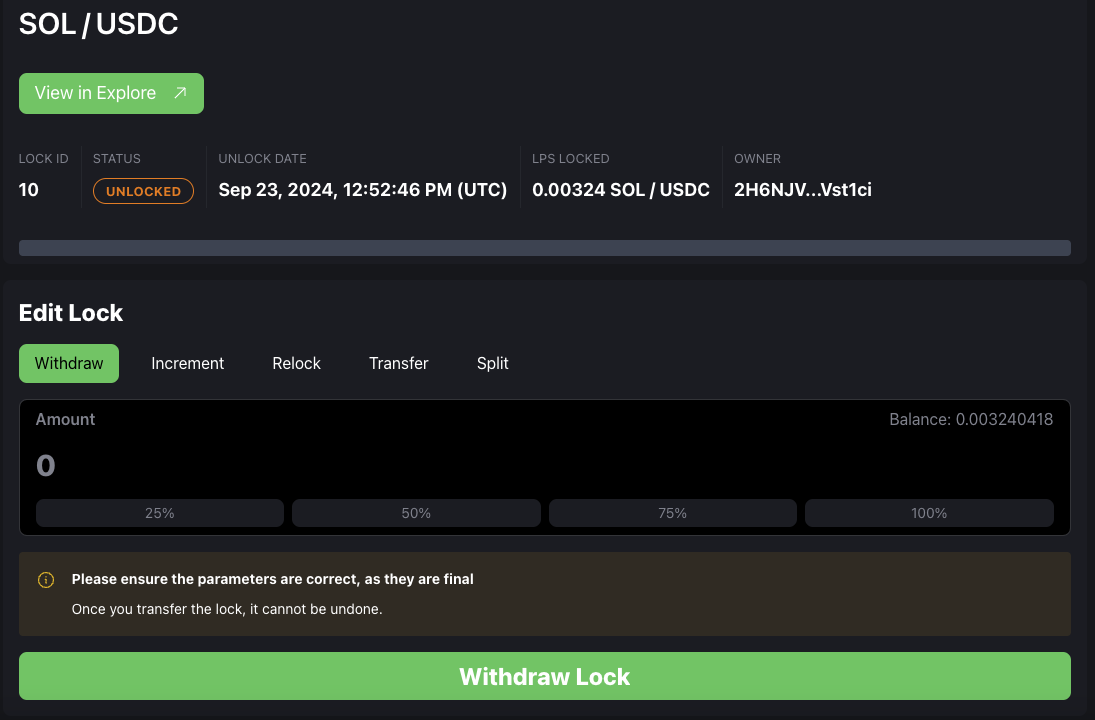
On the image above you can see the lock edit page. The options available to your are:
**Withdraw:** Withdraws locked liquidity position
**Increment:** Allows you to add more LP tokens to a existing lock.
**Relock:** Lock your LP tokens and extend the duration of the initial lock.
**Transfer Ownership:** Allows you to transfer the ownership of their liquidity lock.
**Split:** It is possible to split your lock in different sub-locks.
### CP Swap Liquidity
Visit [https://solana.uncx.network/](https://solana.uncx.network/) and select "Manage".
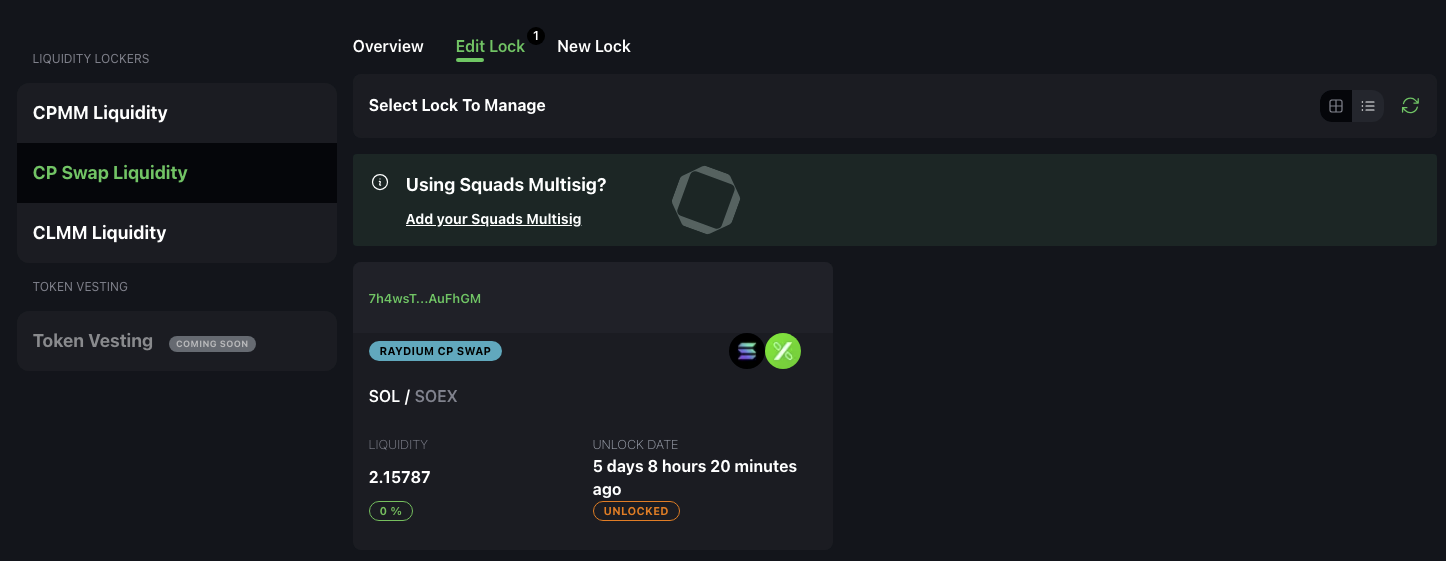
Select "CP Swap Liquidity" and connect your wallet. Then, select the "Edit Lock" tab. Here you can select the lock you want to manage/withdraw.
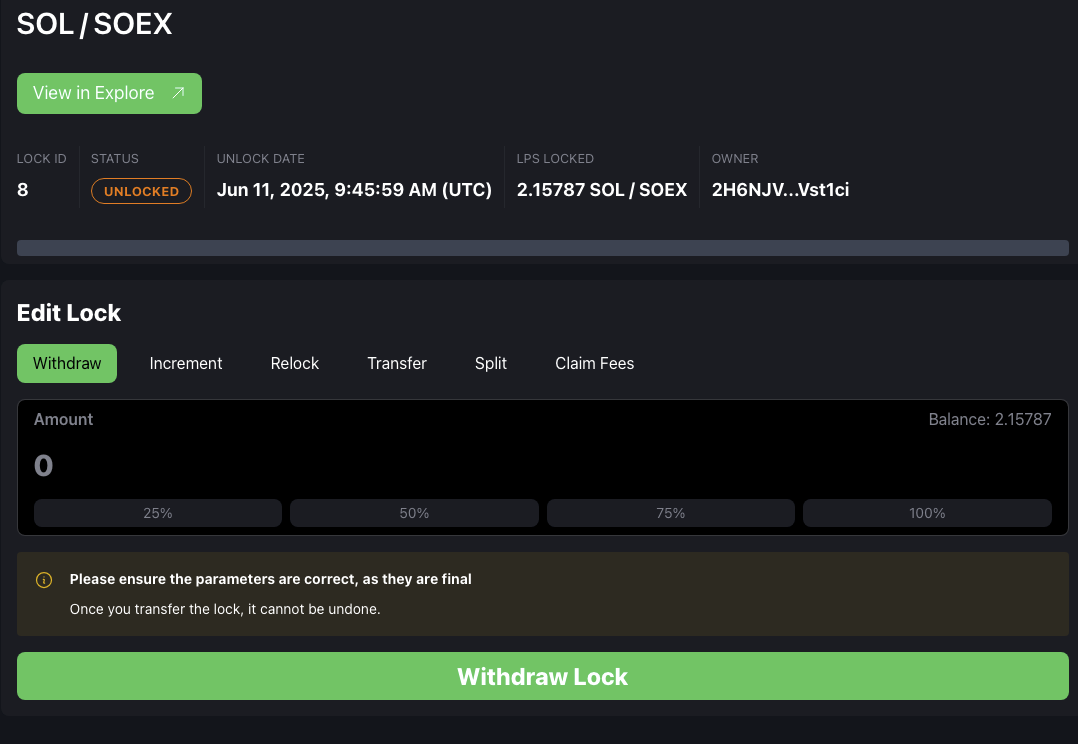
On the image above you can see the lock edit page. The options available to your are:
**Withdraw:** Withdraws locked liquidity position
**Increment:** Allows you to add more LP tokens to a existing lock.
**Relock:** Lock your LP tokens and extend the duration of the initial lock.
**Transfer (Ownership):** Allows you to transfer the ownership of their liquidity lock.
**Split:** It is possible to split your lock in different sub-locks.
**Claim Fees:** Allows you to claim fees from your pool.
### CLMM Liquidity
Visit [https://solana.uncx.network/](https://solana.uncx.network/) and select "Manage".
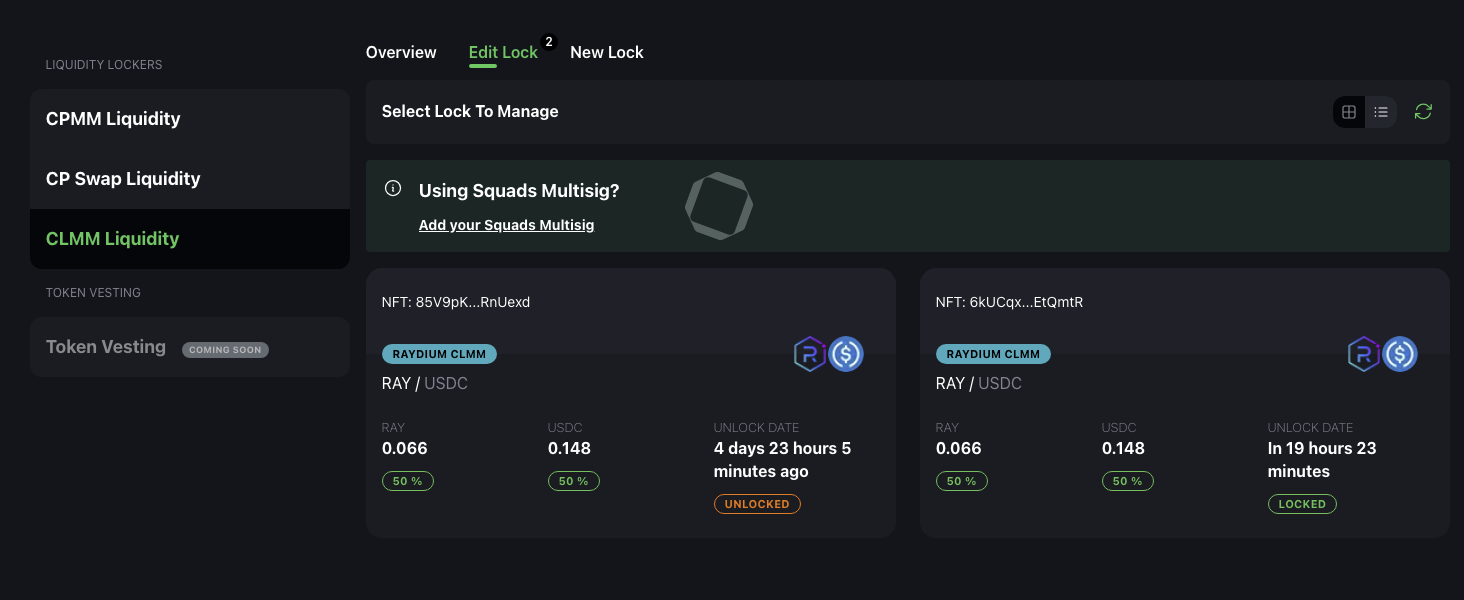
Select "CLMM Liquidity" and connect your wallet. Then, select the "Edit Lock" tab. Here you can select the lock you want to manage/withdraw.
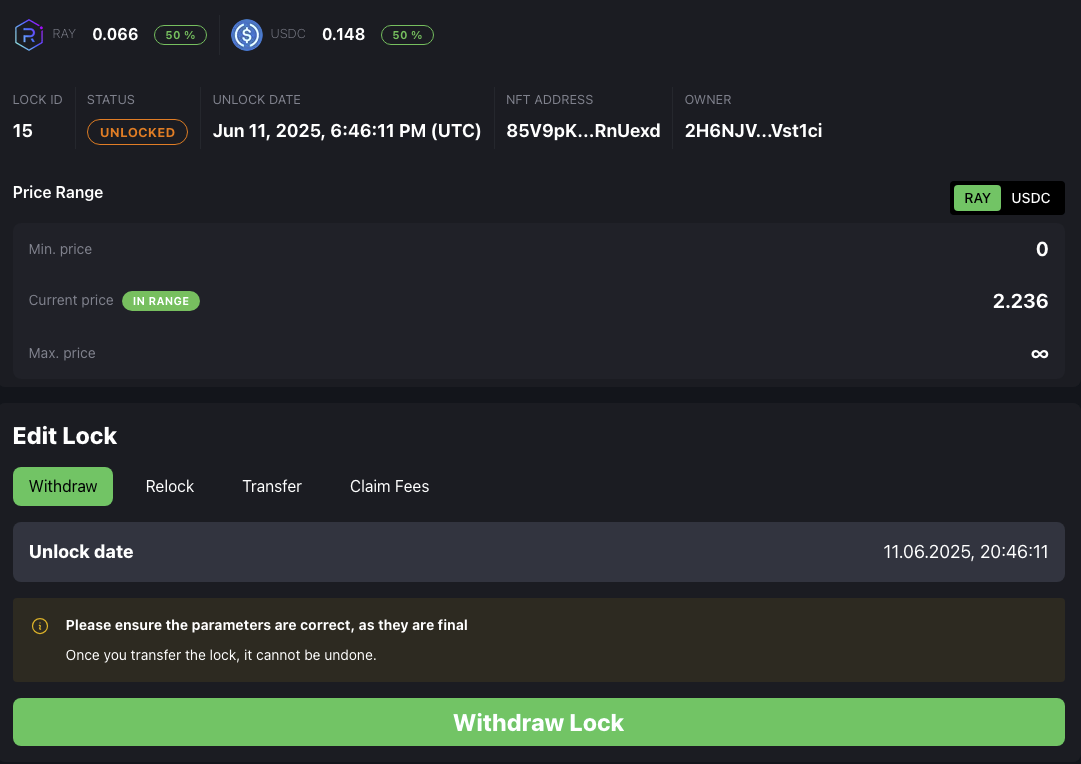
On the image above you can see the lock edit page. The options available to your are:
**Withdraw:** Withdraws locked liquidity position
**Relock:** Lock your LP tokens and extend the duration of the initial lock.
**Transfer (Ownership):** Allows you to transfer the ownership of their liquidity lock.
**Claim Fees:** Allows you to claim fees from your pool.